Typing
Manual Bangla and English typing, keyboard controls, correction, and shortcuts.
Bangla & English typing, voice input, translation, AI correction, rewriting, replies, and text reading—without leaving your Windows workflow.
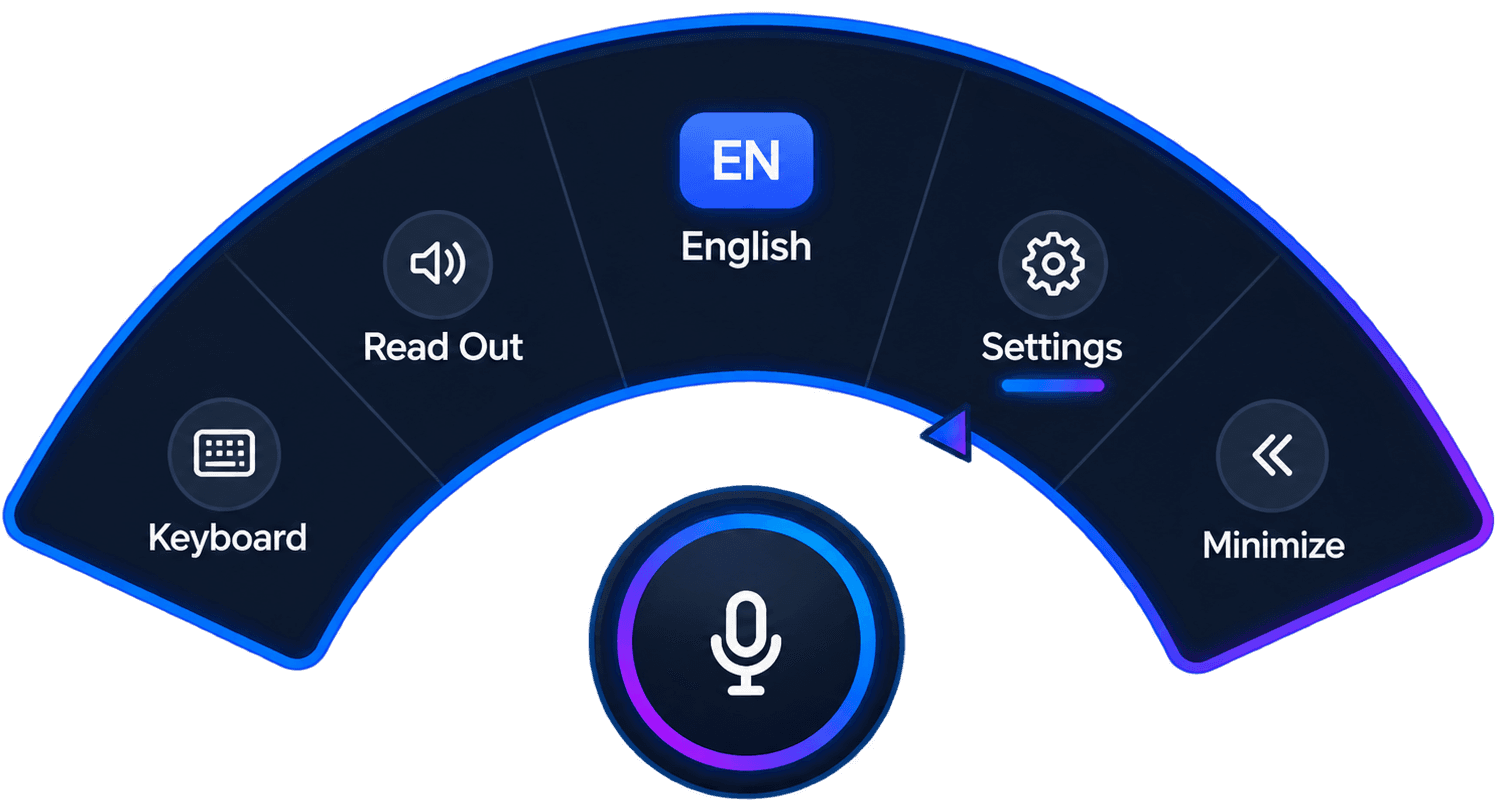

Tarango brings everyday Bangla and English actions into one Windows desktop companion—so the next step is always close.
Manual Bangla and English typing, keyboard controls, correction, and shortcuts.
Speak naturally in Bangla or English and type directly in supported Windows apps.
Move between Bangla and English while speaking, typing, selecting, or listening.
Clean up hesitant or loosely structured spoken Bangla before it is inserted.
Hear selected text in its own language—or translated and read in the other.
Select a passage and turn it into a clearer version from the context menu.
Prepare a reply style suited to selected email, chat, or professional content.
Hesitation, self-correction, and messy sentence structure can be cleaned before your text is inserted—helping your Bangla read more clearly without claiming to replace your judgment.
“আমি কালকে মানে... না, আমি আজ বাসায় গিয়ে কাজটা করব”
“আমি আজ বাসায় গিয়ে কাজটি করব।”
✓ Ready to type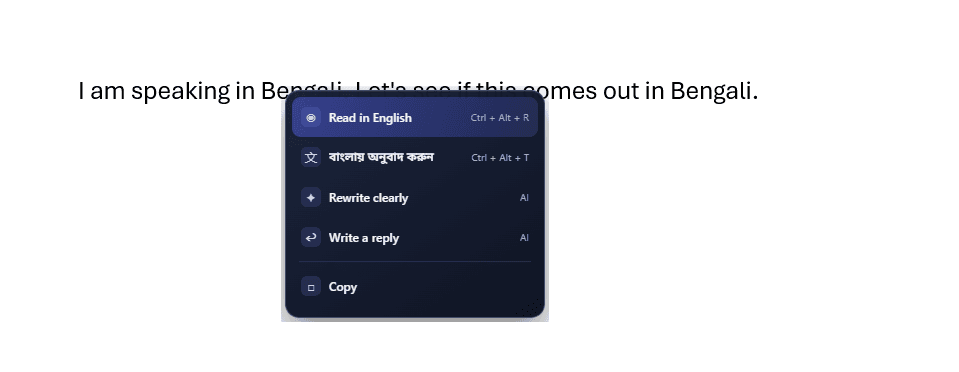
Select text anywhere, press the middle mouse button, and choose what comes next—without constantly opening another application.
Work in the language you think in, and create or hear the output you need.
Choose the shape that fits how you work, then switch anytime from Appearance Settings.
Familiar, horizontal, and ready with quick controls.
Compact, circular, and modern for a lighter desktop presence.
Switch between Classic Toolbar and Neon Arc Menu, and choose whether Tarango remains Always On Top.
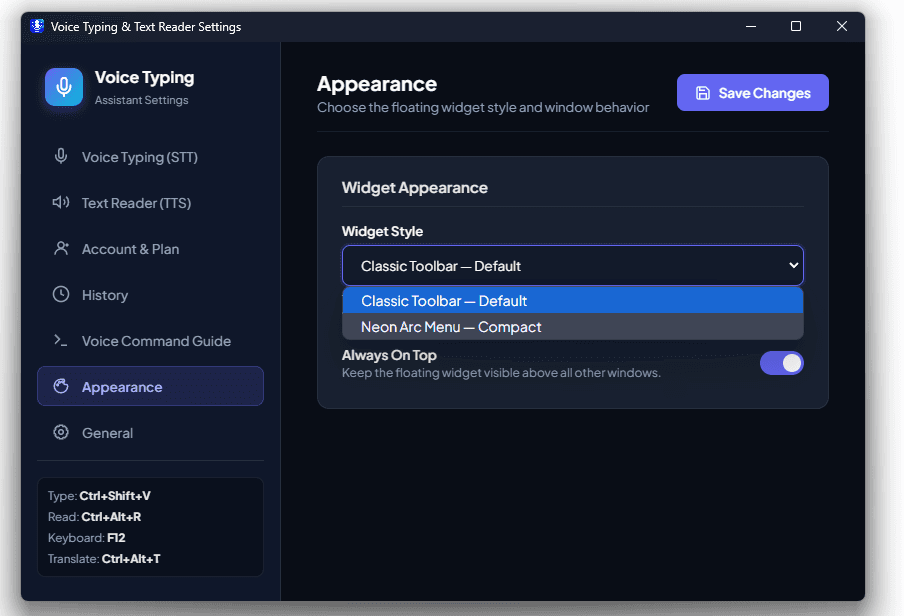
Choose how Tarango listens, corrects, reads, and behaves—through a clear Windows settings experience.
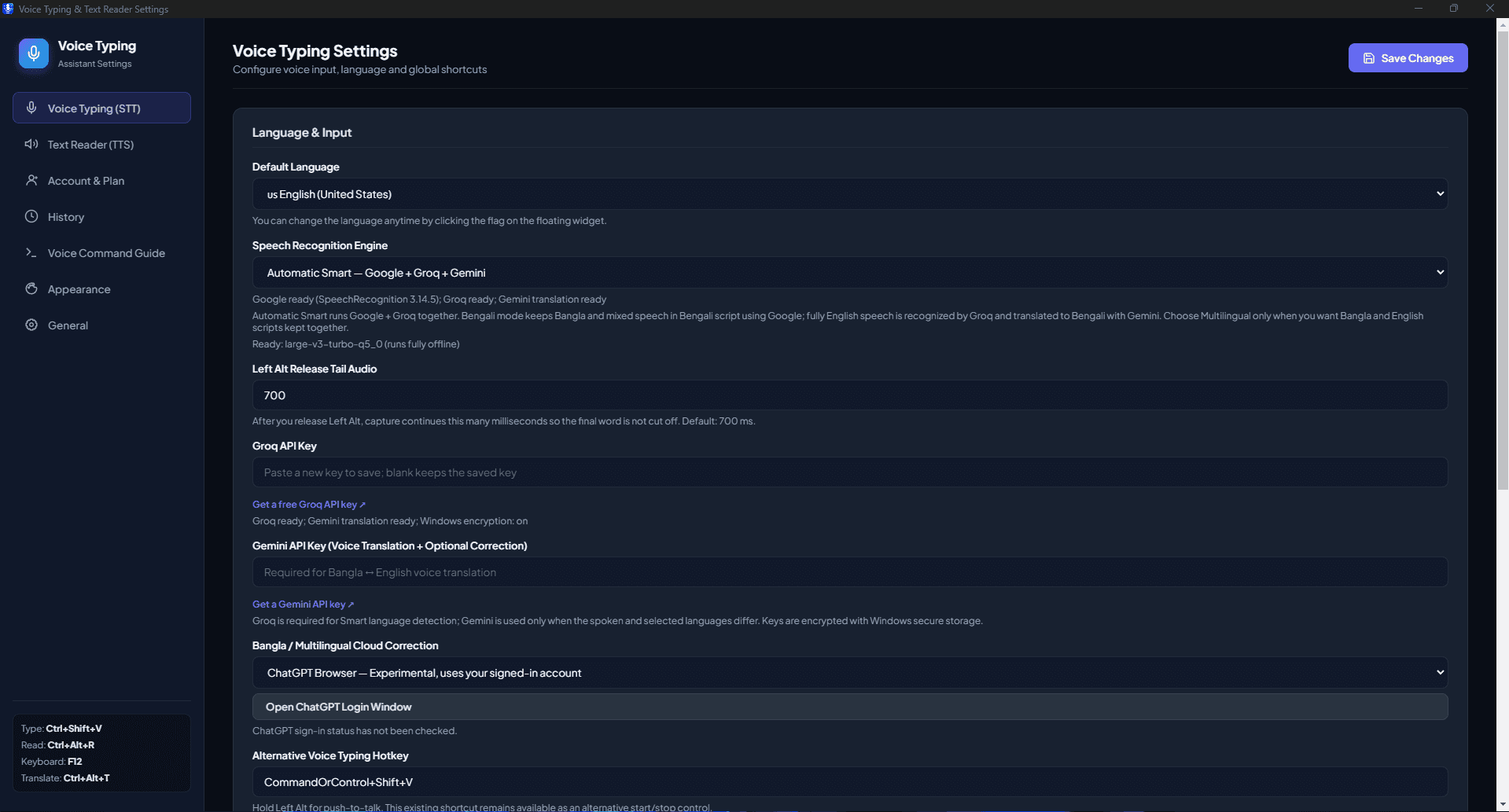
Start naturally in any supported Windows workflow.
Choose what you want to do with your voice or text.
Type · Correct · Translate · Read · Rewrite · Reply
Lifetime access applies only to the first PC on which Tarango Pro is activated. The license cannot be transferred to another PC.
For essential Bangla and English typing.
One-time payment · Lifetime license · 1 PC
Type, speak, translate, rewrite, reply, and listen—without leaving your workflow.
Tarango is a Bangla-first Windows keyboard and language assistant for typing, voice input, translation, AI-assisted correction, reading, rewriting, and replies.
Yes. Free includes manual Bangla and English typing and basic keyboard functionality. Trial and Pro unlock advanced features. Tarango Pro is intended as a lifetime license for the first activated PC; online purchase is not yet available.
Yes. Tarango supports Bangla speech to Bangla typing and English speech to English typing in supported Windows applications.
Yes. You can speak Bangla to type English, or speak English to type Bangla.
Tarango can show contextual actions for reading, translation, rewriting, replying, and copying.
Yes. Select a sentence or paragraph, middle-click, and choose Rewrite to prepare a clearer version.
Tarango can analyze selected content and prepare an appropriate reply style, such as professional for email or conversational for chat.
Tarango is designed for supported Windows desktop applications, browsers, office software, messaging apps, email, and other places where you type or select text.
Free covers manual typing and basic keyboard functions. Pro adds voice, cross-language input, AI correction, translation, reading, rewriting, Smart Reply, and applicable context actions.